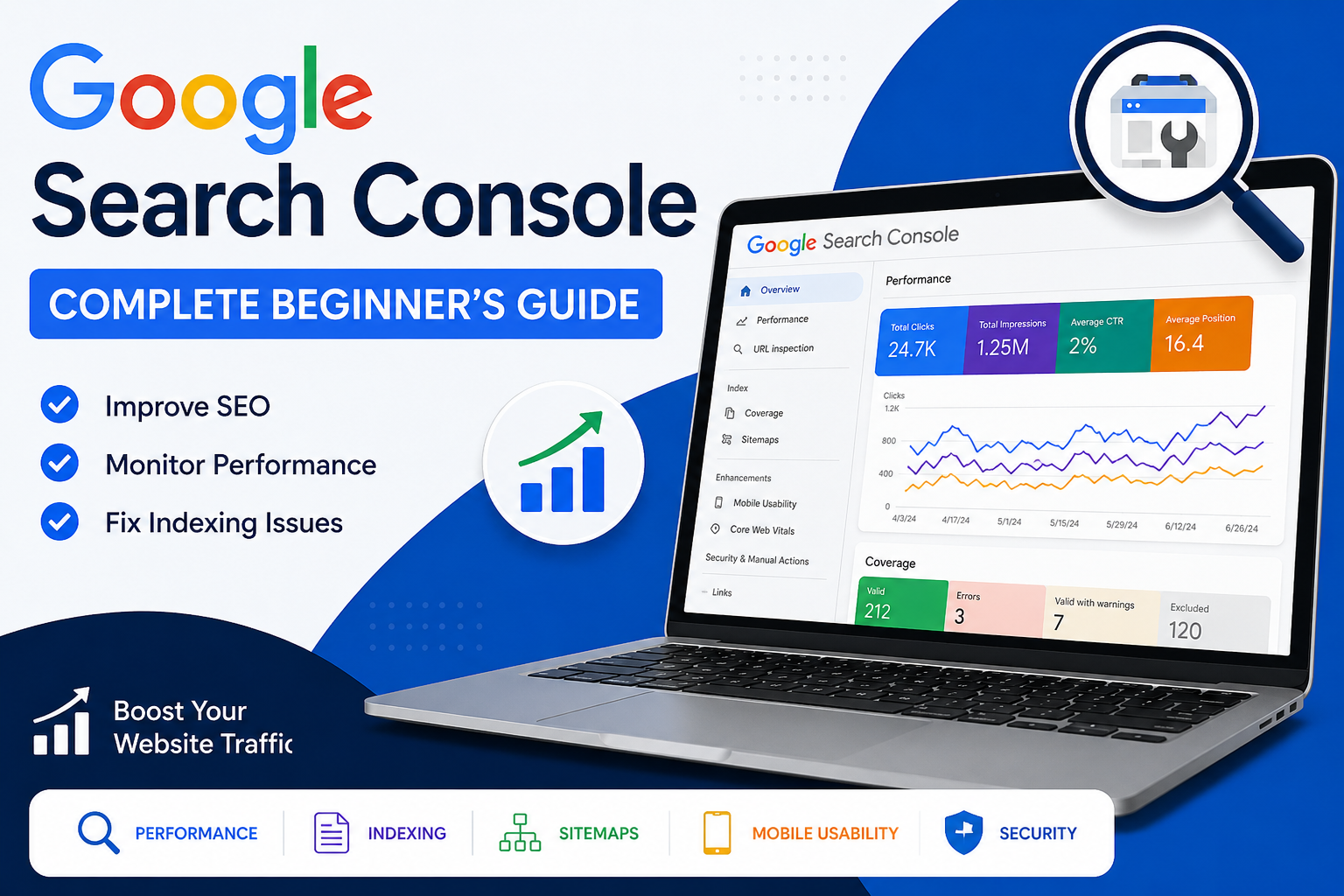
Google Search Console (GSC) is one of the most powerful free SEO tools available. Whether you’re a blogger, business owner, freelancer, or digital marketer, learning how to use Google Search Console can significantly improve your website’s visibility in Google Search.In this complete beginner’s guide, you’ll learn what Google Search Console is, why it’s important, how to set it up, and how to use its key features to improve your SEO.
What is Google Search Console?
Google Search Console is a free tool provided by Google that helps website owners monitor, maintain, and improve their website’s presence in Google Search results.
It gives you valuable insights into:
- Website traffic
- Search rankings
- Keywords
- Clicks and impressions
- Indexing status
- Technical SEO issues
- Mobile usability
- Core Web Vitals
Instead of guessing how Google sees your website, Google Search Console tells you directly.
Why Should You Use Google Search Console?
Here are the biggest benefits:
- Track your website’s Google rankings
- Find keywords bringing traffic
- Discover pages that need improvement
- Fix indexing errors quickly
- Submit new pages to Google
- Improve Core Web Vitals
- Monitor backlinks
- Detect security issues
- Improve overall SEO performance
For beginners, it’s one of the easiest ways to understand how your website performs in search engines.
How to Set Up Google Search Console
Getting started takes only a few minutes.
Step 1: Sign In
Visit Google Search Console using your Google account.
Step 2: Add Your Website
You’ll see two options:
- Domain Property (recommended)
- URL Prefix Property
Domain Property tracks your entire website, including all subdomains.
Step 3: Verify Ownership
You can verify your website using:
- DNS Record
- HTML File Upload
- HTML Tag
- Google Analytics
- Google Tag Manager
Once verified, Google begins collecting data.
Understanding the Dashboard
The dashboard provides several important reports.
1. Performance Report
This is the most frequently used section.
It shows:
- Total Clicks
- Total Impressions
- Average CTR
- Average Position
You can also see:
- Top Pages
- Top Keywords
- Countries
- Devices
- Search Appearance
This data helps you identify what content is already performing well and where optimization can increase traffic.
2. URL Inspection Tool
This tool allows you to check whether a page is indexed by Google.
You can:
- Check indexing status
- Test live URLs
- Request indexing
- Identify crawling issues
Whenever you publish a new blog, use the URL Inspection Tool to request faster indexing.
3. Indexing Report
Google shows which pages are:
- Indexed
- Not Indexed
- Excluded
- Contain errors
Common issues include:
- Page not found (404)
- Redirect errors
- Duplicate pages
- Crawled but not indexed
Fixing these problems improves your site’s visibility.
4. Sitemap
A sitemap helps Google discover your pages more efficiently.
Most WordPress SEO plugins automatically generate one.
5. Core Web Vitals
Google measures user experience using Core Web Vitals.
Important metrics include:
- Largest Contentful Paint (LCP)
- Interaction to Next Paint (INP)
- Cumulative Layout Shift (CLS)
Improving these metrics can positively impact rankings and user satisfaction.
6. Mobile Usability
More than half of web traffic comes from mobile devices.
Google Search Console identifies mobile issues like:
- Text too small
- Clickable elements too close together
- Content wider than the screen
Fixing these improves usability and SEO.
7. Links Report
The Links section shows:
- External backlinks
- Internal links
- Top linked pages
- Referring websites
Understanding your link profile helps strengthen your site’s authority.
Common Google Search Console Errors
Beginners often encounter these issues:
Crawled – Currently Not Indexed
Google visited the page but decided not to index it.
Solution:
- Improve content quality
- Add internal links
- Update the page regularly
404 Error
The page no longer exists.
Solution:
- Restore the page if needed
- Set up a 301 redirect
- Remove broken internal links
Duplicate Without User-Selected Canonical
Google found duplicate content.
Solution:
- Add canonical tags
- Consolidate duplicate pages
Server Errors (5xx)
Your server couldn’t respond properly.
Solution:
- Contact your hosting provider
- Check server logs
- Ensure your website is online
Best Practices for Beginners
To get the most from Google Search Console:
- Check Performance reports weekly.
- Submit new pages after publishing.
- Monitor indexing regularly.
- Fix technical errors promptly.
- Improve pages with high impressions but low CTR.
- Optimize titles and meta descriptions.
- Strengthen internal linking.
- Review Core Web Vitals monthly.
Consistency helps you spot opportunities and resolve issues before they affect traffic.
Common Mistakes to Avoid
Avoid these beginner mistakes:
- Ignoring indexing errors
- Never submitting a sitemap
- Focusing only on clicks instead of impressions and CTR
- Forgetting mobile optimization
- Neglecting page experience metrics
- Ignoring keyword opportunities in the Performance report
Who Should Use Google Search Console?
Google Search Console is valuable for:
- Bloggers
- Small businesses
- SEO professionals
- Freelancers
- Digital marketers
- E-commerce websites
- Content creators
- Web developers
If your website relies on organic traffic, GSC should be part of your regular workflow.
Final Thoughts
Google Search Console is an essential tool for anyone who wants to improve their website’s search performance. From tracking keywords and monitoring indexing to fixing technical SEO issues, it provides the insights you need to make informed decisions.As a beginner, start by setting up your property, submitting your sitemap, and reviewing the Performance and Indexing reports regularly. Over time, these habits will help you build a stronger, more search-friendly website and grow your organic traffic.
Frequently Asked Questions (FAQs)
Is Google Search Console free?
Yes. Google Search Console is completely free to use.
How long does it take to show data?
Most reports begin showing data within a few days after verification, though some information may appear sooner.
Can Google Search Console improve rankings?
It doesn’t directly increase rankings, but it helps you identify and fix issues that can improve your SEO performance.
How often should I check Google Search Console?
Checking it at least once a week is a good practice, especially after publishing new content or making technical changes.
Do I need Google Analytics if I use Search Console?
They complement each other. Search Console focuses on search performance, while Google Analytics provides broader insights into user behavior on your website.